An FYI on AppleScript and FileMaker 10:
In FileMaker Pro 9 Advanced the application id was ‘com.filemaker.pro.advanced’. In FileMaker Pro 10 Advanced it’s now ‘com.filemaker.client.advanced’.
If you remove FM9A from your system, opening scripts which contain the old address ‘tell application id "com.filemaker.pro.advanced"’ will fail with ‘Unable to read the file because the script is not editable (it was saved as run-only).’—which is misleading as it’s obviously the old dictionary they can’t find.
If you install both 9 and 10 you can open the scripts and change them from ‘com.filemaker.pro.advanced’ to ‘com.filemaker.client.advanced’ (I keep old versions of FileMaker on disc images for situations like this—they can’t be launched unintentionally but they’re available when needed).
Showing posts with label FileMaker. Show all posts
Showing posts with label FileMaker. Show all posts


2007-05-02
FileMaker+QuickTime+Windows=Argh!
Normally I enjoy working with FileMaker, but on a recent project struck a number of serious issues with QuickTime container fields in a database.
Error signature: AppName: filemaker pro advanced.exe AppVer: 8.5.2.378 ModName: quicktime.qts ModVer: 7.1.5.120 Offset: 00057ff6
We experimented with .avi files, .mp3 files, .mov files, and more. The only consistent factor was every file without a video track would crash, and every file with a video track wouldn’t.
It was hard to believe there was such a fundamental problem. We took one of the .mp3 files which was crashing and wrapped it inside a .mov with a video track (a single frame): no crash. We disabled the video track: crash. We removed the video track: crash.
Workaround: add a video track or text track. The movie controller can be resized and the border made invisible such that you can’t tell a video track is present.
A longish session with Google told us this problem had been around a long time, yet FileMaker Inc. said they’d never heard of it.
Special thanks to Allan for quickly putting a set of test files together; also Brendon, Tim @ FileMaker Inc Au, Ivan, and Patrick for their thoughts.
 If you have the status area showing and start playing a movie the QuickTime controller will jump to the left.
Speculation: somebody forgot to include the width of the status area when sending the ‘place to draw the controller’ to QuickTime…
Workaround: hide the status area.
 Set up: A layout in list mode and a QuickTime container in the header or footer.
If you start the movie playing and then scroll while the movie is still playing, the QuickTime controller will jump vertically (to a different position each time you scroll). The amount of the jump is related to the height of the body section.
No realistic workaround found 8-(
If you start the movie playing and then scroll while the movie is still playing, the sound will stutter every time the layout is scrolled.
No realistic workaround found 8-(
QuickTime 7.1.3, FileMaker Advanced 8.5v2, Windows 2000 SP2 (happens under other configurations too)
Crash with Audio File
If you insert a QuickTime music file into a container field (or have a calculated container field pointing to an external file), then FileMaker will crash. Sometimes when you insert the file, sometimes when you start playing, and sometimes when you stop—but consistently crashing.Error signature: AppName: filemaker pro advanced.exe AppVer: 8.5.2.378 ModName: quicktime.qts ModVer: 7.1.5.120 Offset: 00057ff6
We experimented with .avi files, .mp3 files, .mov files, and more. The only consistent factor was every file without a video track would crash, and every file with a video track wouldn’t.
It was hard to believe there was such a fundamental problem. We took one of the .mp3 files which was crashing and wrapped it inside a .mov with a video track (a single frame): no crash. We disabled the video track: crash. We removed the video track: crash.
Workaround: add a video track or text track. The movie controller can be resized and the border made invisible such that you can’t tell a video track is present.
A longish session with Google told us this problem had been around a long time, yet FileMaker Inc. said they’d never heard of it.
Special thanks to Allan for quickly putting a set of test files together; also Brendon, Tim @ FileMaker Inc Au, Ivan, and Patrick for their thoughts.
QuickTime Controller Jumps Ⅰ
 If you have the status area showing and start playing a movie the QuickTime controller will jump to the left.
Speculation: somebody forgot to include the width of the status area when sending the ‘place to draw the controller’ to QuickTime…
Workaround: hide the status area.
QuickTime Controller Jumps Ⅱ
 Set up: A layout in list mode and a QuickTime container in the header or footer.
If you start the movie playing and then scroll while the movie is still playing, the QuickTime controller will jump vertically (to a different position each time you scroll). The amount of the jump is related to the height of the body section.
No realistic workaround found 8-(
Sound Stutters
Set up: A layout in list mode and a QuickTime container in the header or footer.If you start the movie playing and then scroll while the movie is still playing, the sound will stutter every time the layout is scrolled.
No realistic workaround found 8-(
Misc
All bugs reported… None happen on a Mac.QuickTime 7.1.3, FileMaker Advanced 8.5v2, Windows 2000 SP2 (happens under other configurations too)
2007-04-22
Combining Mac and Peecee FileMaker Runtimes
I recently generated a cross-platform runtime for a client who runs both Windows and OS X. Here’s some notes on the process:
- Generate runtime on OS X
- Generate runtime on Windows with same bindkey
- Combine two resulting directories:
- .USR will be duplicated (one is redundant)
- .exe had sticky bit set resulting in ‘One or more items have special permissions and cannot be copied.’ (permissions -rwxr-Sr--, chmod g-s xxx.exe fixed it)
- Note Windows Extensions folder has more items than Mac (so combine folder rather than replace)
- Solution OS X (created under OS X, alias to Solution.app)
- Solution Windows.lnk (created under Windows, link to Solution.exe)
- Documentation folder
- System Files folder
- Extensions folder
- Solution.app
- Solution.exe
- Solution.USR
- (40 DLLs)
2006-06-23
Converting to FileMaker 8
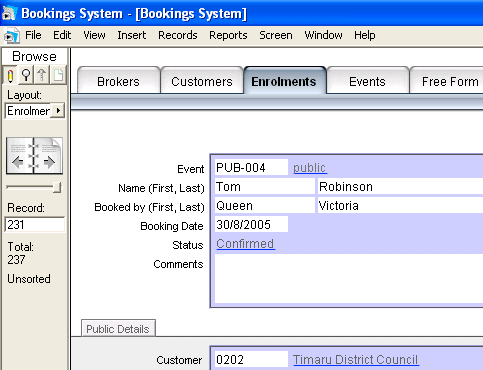 I’ve recently finished moving a client from FileMaker 7 to a runtime deployment of FileMaker 8. I took the opportunity to rework the solution, which still had much of the pre-7 design.
This took around three weeks, with two weeks I thought reasonable to charge for. I’m very pleased with the result, and my client understands the need for a good infrastructure behind the scenes.
Main Work of the Conversion
- Moved all tables into a single file. The relationship graph for this leads to a much better overview of the system.
- Implemented menus and deployed as runtime solution. Gives the feel of a true application, and hides unneeded commands from the user.
- By using the recently added [new window] script set, the current found set is now maintained when running a report. This new capability also makes saving and restoring found sets behind-the-scenes unnecessary.
- I also rebuilt the interface which had the same look as when the system was implemented 10 years ago. The tabs (pictured) are based on the anthrazite look in ‘Apple Mac OS X Appearence Template 1’ [sic] by Martin Brunner.
Recommendations
- Start at the bottom and work up: copy tables which other tables depend on first. Ditto for scripts. Keep the names the same until everything’s across. Define as many relationships as possible early—it will save broken fields and scripts.
- Use the developer’s version: FileMaker Pro 8 Advanced. Being able to copy & paste tables and script steps was invaluable. The Script Debugger and Data Viewer saves having to insert those [display dialog] statements too.
- Most scripts need modifying: some will be broken from the copying process, others break because the context is different in a single file.
- I’ve always adhered to the KISS principle, and was grateful for it on a number of occasions: don’t make elaborate workarounds to force FileMaker to behave as you want, instead accept its (sometimes quirky) behaviour. The less complexity, the easier the solution is to manage.
- If I wasn’t deploying a runtime solution, every script would be in a single menu—for both me and the user. This would have made consolidation into a single file problematic.
- Expand those dialog boxes! Most can be stretched, and it really helps to see more at once. e.g. when specifying the script for a [perform script], as every script for your application is now in a single file.
- I wish I had two screens (each running their own version of FM), so the old & new could be displayed side-by-side. So I got to know the Database Design report instead.
Wish List
- When creating a runtime, that you could create it for both platforms (Mac and Win), not just the platform FMA is being run on (for a workaround, see my blog entry).
- That runtimes could create PDFs (instead I’m using the schubec PS2PDF Plug-in, which has excellent user support).
- A way to copy a layout in its entirety. Redefining the sections, margins, etc., for each one got old very fast (and time consuming).
- The inbuilt tabs are a great idea but too limited for most serious use. They need to be able to switch between list & form mode, and need to be scriptable. A vertical orientation would be useful, and a nicer look would help too.
- In layout mode, an easier way to navigate the now very long layout menu. Maybe subfolders. Having the menu start at the current layout (per a pop-up menu) would also help.
- Script logic indentation on the Database Design report.
Misc.
Once again I’ve been very impressed with the reliability of FileMaker. I’ve been thrashing it for weeks and only had two glitches:- Occasionally there was a disconnect of some menu shortcuts: keyboard shortcuts (e.g. command-v) would flash the menu but otherwise be ignored. Restarting FM fixed this.
- [if get(foundcount) > $var] was failing when there were 10 records in the found count and var was 9. Wrapping $var in asnumber() fixed it. Presumably FM was treating $var as character (‘1’ is not greater than ‘9’), but why is another matter—in a test file it worked fine.
Stats
Item | Before | After | Comment |
| Files | 13 | 1 | Some tables had already been consolidated into other files |
| Tables | 21 | 21 | |
| Fields | Some saving with local variables replacing temporary globals | ||
| Layouts | ≈153 | ≈120 | Savings from using [display custom dialog] instead of a layout, from files which were hidden from the user but needed navigation ‘just in case’, and some cleanup work |
| Scripts | ≈500 | ≈200 | Scripts no longer need to call scripts in other files, they’re self-contained. No need for a set of navigation scripts in each file. Some combining of similar scripts and passing a parameter instead. |
2006-05-09
Creating a Cross-Platform FileMaker Runtime
FileMaker Pro 8 Advanced can only create a runtime for the platform it’s running on. So on my Mac I can only create a Mac runtime, not a Windows one.
I think this is a shortcoming which FileMaker Inc. could have easily fixed, but thankfully after some initial work there’s an easy workaround:
If your development platform is a PC instead of a Mac, you should be able to swap the above, but I haven’t tested this.
Of course, you should still carry out testing on the opposite platform.
Interestingly FM doesn’t seem to mind working with a ‘bound’ file at all. I copied one out of a runtime, and was ⓐ able to bind it into a different runtime, ⓑ rename it to .fp7 and use as normal, plus ⓒ, as above, you can edit it in situ. This is a great as it means there’s only one copy of the file around.
Note if you own both a PC and Mac, paragraph 1⒟ of the FM license allows you to install it on both (for use only by yourself).
I think this is a shortcoming which FileMaker Inc. could have easily fixed, but thankfully after some initial work there’s an easy workaround:
- Find a Windows machine with FMPA.
- Create a database file. The name of this should be the permanent name of your solution.
- Bind it into a runtime. This bindkey will be the permanent key for your solution.
- Copy the whole solution directory back to the Mac.
- This can either be edited directly by opening it from within FMPA, or
- Create a Mac runtime (with the same name and bindkey) and copy the database file into the Windows directory.
If your development platform is a PC instead of a Mac, you should be able to swap the above, but I haven’t tested this.
Of course, you should still carry out testing on the opposite platform.
Interestingly FM doesn’t seem to mind working with a ‘bound’ file at all. I copied one out of a runtime, and was ⓐ able to bind it into a different runtime, ⓑ rename it to .fp7 and use as normal, plus ⓒ, as above, you can edit it in situ. This is a great as it means there’s only one copy of the file around.
Note if you own both a PC and Mac, paragraph 1⒟ of the FM license allows you to install it on both (for use only by yourself).
Subscribe to:
Posts (Atom)